
CS102 is one of the most important course in CS curriculum. In this course, students learn how to write recursive function, object-oriented programming and etc. This course provides foundations of computer programming. Generally, CS102 requires completing semester-long project. For this project, we have developed a game, Bombuster(Classical Bomberman game). We were group of 4 and our members were Ender Demirkaya, Alperen Eraslan, Hüseyin Güler, and me. Anyway, I was a bit bored recently and decided to write Bombuster using HTML5 technologies. Consequently, I have written the Bomberman and want to give a quick tutorial as follows.
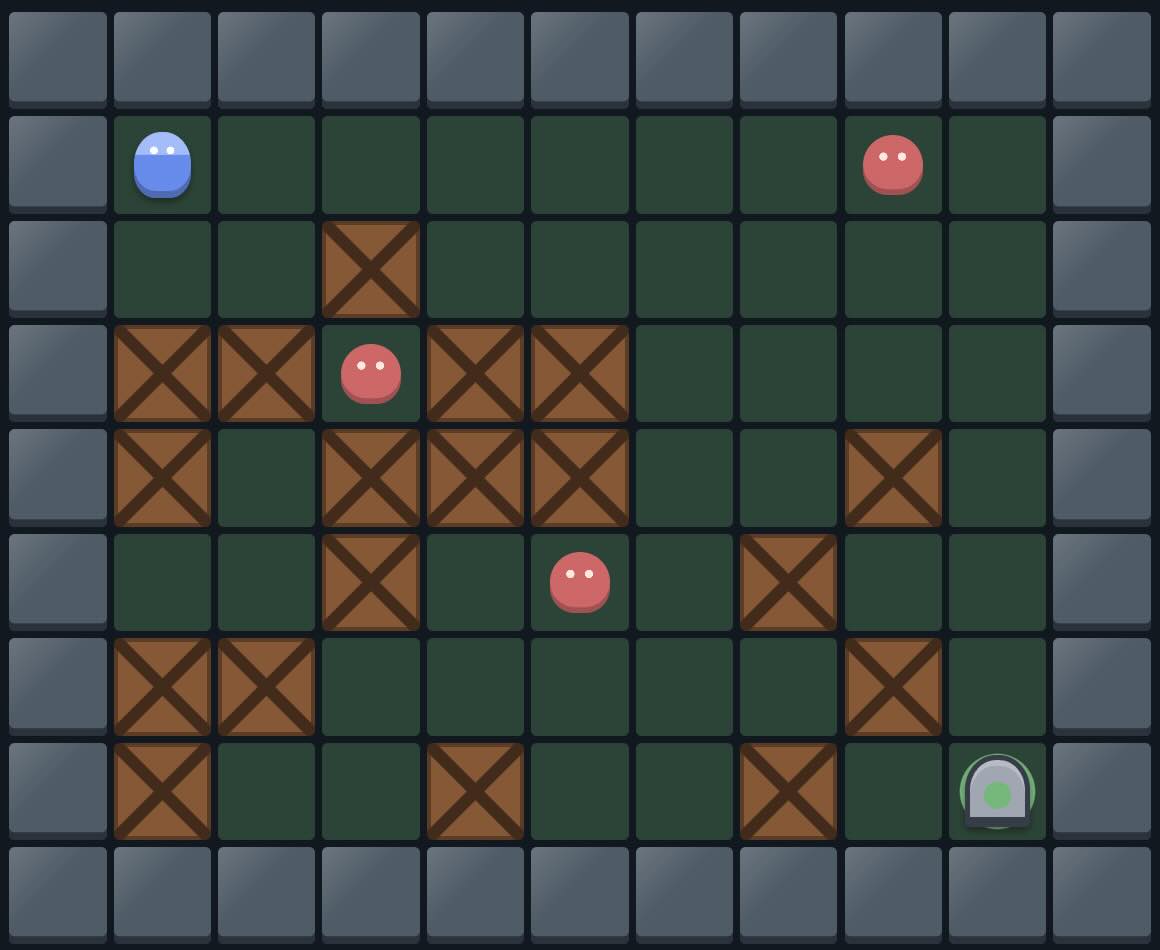 Bomberman
Before diving into details of the game, let's give how it looks like first. I recently added the playable code back to this article because I had lost the old embedded version during website migrations. The original version used a small canvas engine, but the embedded demo at the end of this page has now been rebuilt without iioengine, which was outdated anyway. It uses plain JavaScript state, HTML elements, CSS grid, and CSS-drawn game pieces, so it fits the current site without bringing back the old dependency.
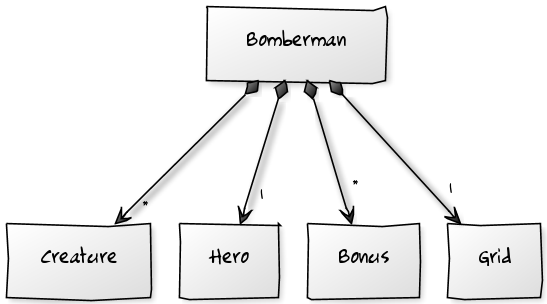 Bomberman game board
Before reaching the playable demo at the end of the page, let's look at how we designed Bomberman. The diagrams below show the main object placements, relationships, and operations. In the current implementation, the container is a standalone HTML demo. The script owns the game state and renders each cell from that state.
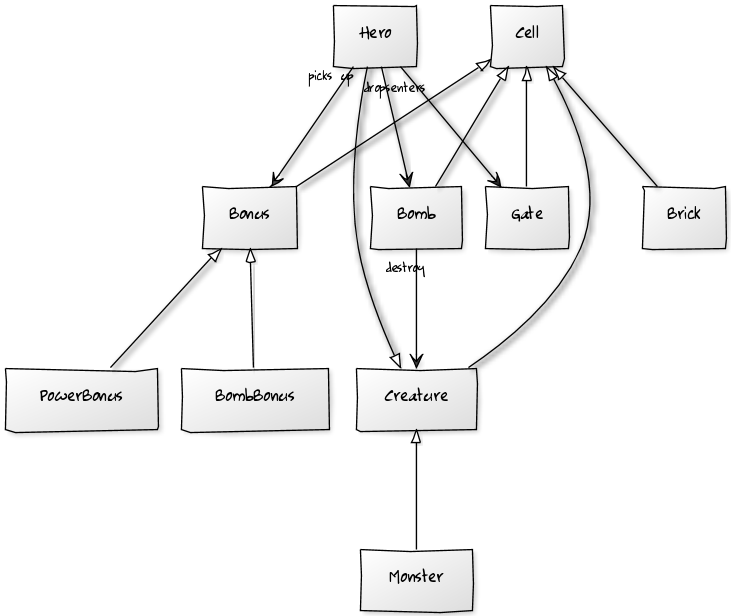 Overall Bomberman design
class Bomberman {
  constructor() {
    this.creatures = [];
    this.bricks = new Map();
    this.bonuses = new Map();
  }

  createRandomMap() { /* creates Brick objects */ }
  createBonus() { /* creates Bonus objects */ }
  createMonster() { /* creates Monster objects */ }
}

class Cell {
  constructor(x, y) {
    this.x = x;
    this.y = y;
  }
}

class Bonus extends Cell {
  showUp() { return true; }
}

class PowerBonus extends Bonus {}
class BombBonus extends Bonus {}

class Bomb extends Cell {}
class Gate extends Cell {}
class Brick extends Cell {
  isBreakable() { return true; }
}

class Creature extends Cell {
  canMove(state) { return !isBlocked(this, state); }
}

class Hero extends Creature {
  pickUp(bonus) { /* collect a Bonus */ }
  moveUp() { /* move north */ }
  moveDown() { /* move south */ }
  moveLeft() { /* move west */ }
  moveRight() { /* move east */ }
  dropBomb() { /* create a Bomb */ }
}

class Monster extends Creature {
  moveRandom() { /* choose a legal direction */ }
}
The board is still modeled as cells. Brick, Gate, Bonus, and Bomb extend the same cell idea from the diagram. PowerBonus and BombBonus extend Bonus. Hero and Monster extend Creature, so movement decisions go through canMove. The standalone demo is mostly the container and renderer; the game vocabulary follows the design in the diagrams.
class Bomb extends Cell {
  destroyObjects(bricks, blastRadius) {
    return [
      this,
      ...this.destroyLeftObjects(bricks, blastRadius),
      ...this.destroyRightObjects(bricks, blastRadius),
      ...this.destroyDownObjects(bricks, blastRadius),
      ...this.destroyUpObjects(bricks, blastRadius)
    ];
  }

  destroyLeftObjects(bricks, blastRadius) {
    return collectBlastLine(this, "left", bricks, blastRadius);
  }

  destroyRightObjects(bricks, blastRadius) {
    return collectBlastLine(this, "right", bricks, blastRadius);
  }

  destroyDownObjects(bricks, blastRadius) {
    return collectBlastLine(this, "down", bricks, blastRadius);
  }

  destroyUpObjects(bricks, blastRadius) {
    return collectBlastLine(this, "up", bricks, blastRadius);
  }
}
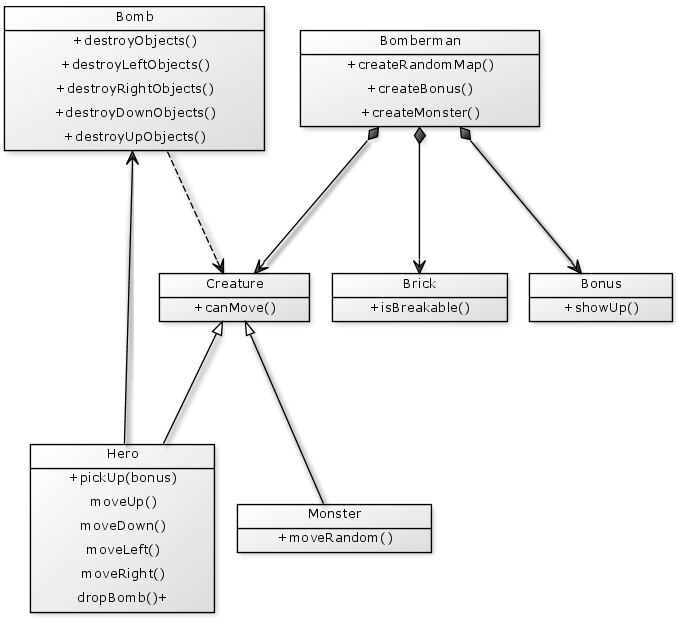 Bomberman class diagram
After designing our objects just like in the diagram, we wrote the necessary functions for those concepts. For instance, the bomb logic destroys objects exposed to the blast with recursive directional destroy methods. The hero can drop available bombs with Space, move with the arrow keys or WASD, and collect bonuses. By default, a bomb reaches one cell in each direction. BombBonus increases the number of active bombs, while PowerBonus increases the blast radius. Bonuses start hidden under breakable bricks and show up when those bricks are destroyed. Monsters use moveRandom() to pick one of the legal directions around them. The Bomberman container also tracks score for destroyed bricks, defeated monsters, collected bonuses, and level exits. Each level generates a fresh map, picks a gate in one of the non-spawn corners, carves a route so the level remains playable, and then raises the difficulty with denser bricks, more monsters, and faster monster movement. The gate is the level exit; once the hero reaches it, the next level starts.
This diagram highlights the main functions that were developed for the original game. Although this design works well for this little game, it might not be a good choice when you want to extend it because we did not dive deeply into separating concerns. A bigger version would benefit from clearer model, controller, and view boundaries. The current page implementation keeps things intentionally small: the game rules and rendering live together in the standalone demo file.
Briefly, I redesigned and developed our CS102 project using web technologies. There may still be rough edges in the implementation, but it was a much better version than the one we originally built for CS102. I am keeping the write-up here as a snapshot of the project and the design ideas behind it, with a playable modernized version below. You can also read the current JavaScript and CSS source files.